%20(1).svg)
When you view a mix design's results, the Generator shows the major contributors behind each environmental impact category — not just Global Warming Potential. This article shows you how to switch between impact categories and identify which factors (e.g., materials, transportation) are driving each score.
Before you begin- You have an active mix design already created in the Generator.
- You have permission to view/edit mix designs in your dashboard.
- if their mix design doesn't appear in the dashboard please contact us
1. Log into the Generator and go to your dashboard.
2. Select the mix design you want to review.
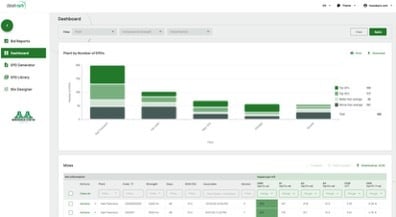
Dashboard view — select a mix design
3. Click Edit Mix.
4. On the first step of the mix editor, click Next.
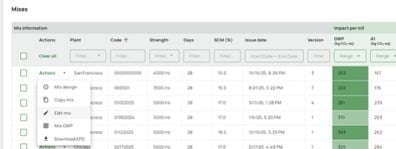
Step 1 of the mix editor
5. On the second step, you'll see the major drivers for Global Warming Potential by default.
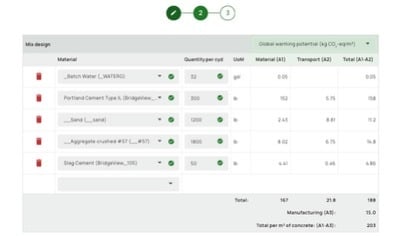
Step 2 — Global Warming Potential drivers shown by default
6. Click the drop-down menu and select a different impact category — for example, Acidification or Ozone Depletion.
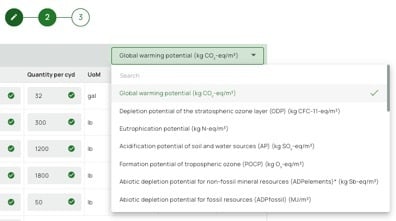
Switching impact categories from the drop-down menu
7. Review the drivers listed for that category. For example, for Acidification, the elements you have the most control over are transportation of aggregates, along with cement and slag.
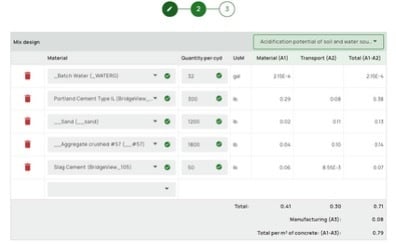
Acidification drivers — transportation, cement, and slag
Expected resultAfter selecting a new impact category from the drop-down, the driver list updates to show the specific contributors for that category, ranked by their share of the impact.
Troubleshooting
You can reach Customer Support directly here: Submit a Support Ticket